Published 6 August 2026 · 7 min read
Automated Appointment Booking for Clinics and Salons: A Safe Workflow
Trootlabs Editorial Team
AI automation practitioners serving businesses across India
Last updated 11 August 2026
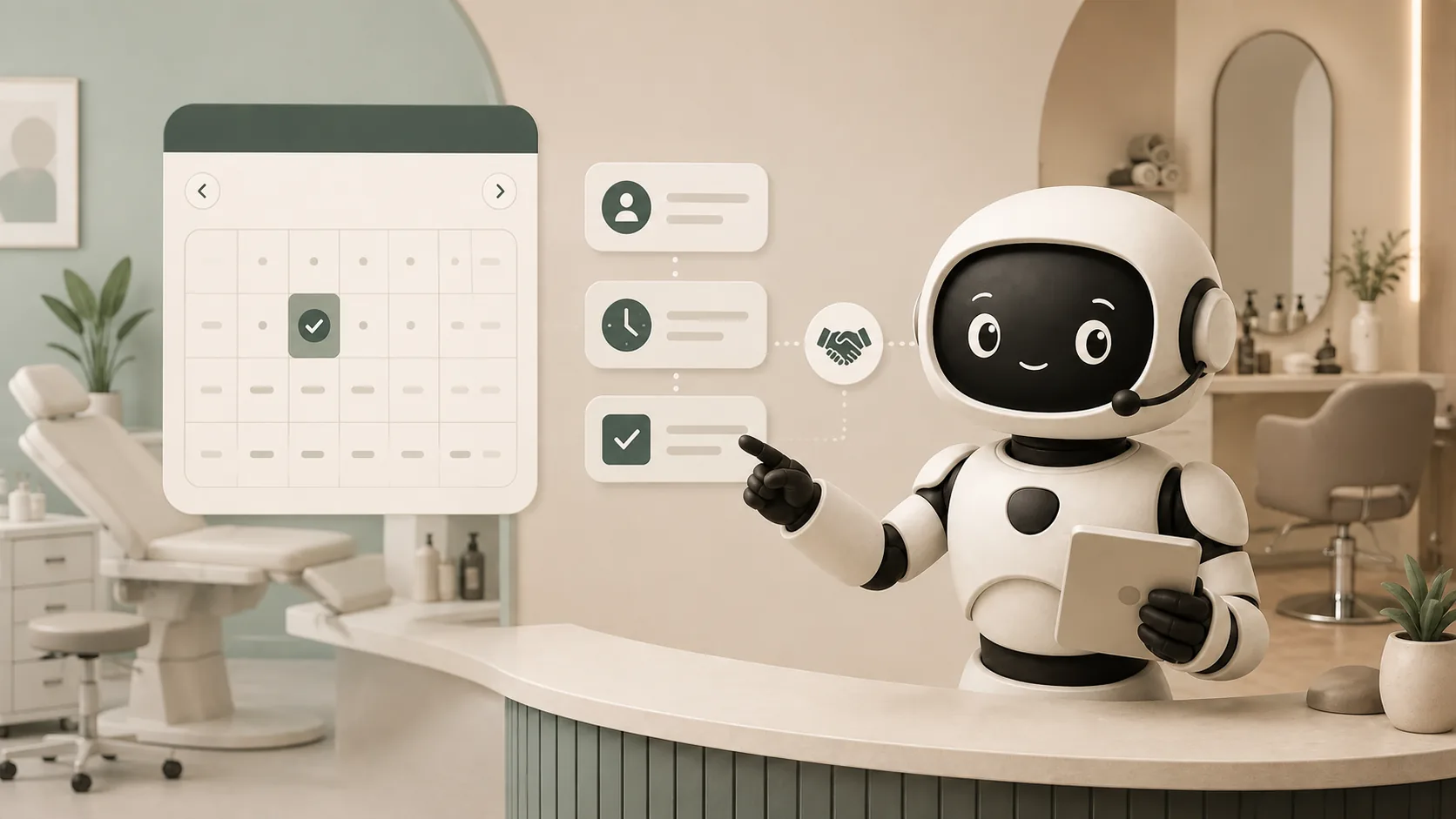
Automated appointment booking is a connected workflow that turns an enquiry into a confirmed calendar event, sends the right reminders, supports changes, and records the customer history. It works best when the automation reads real availability and follows explicit business rules rather than merely collecting a preferred time in a form.
What makes a booking truly automated?
A form that emails the front desk is lead capture, not automated booking. A complete booking workflow checks the correct staff member or resource, applies duration and buffer rules, prevents conflicts, creates the event, confirms the status, and makes rescheduling possible.
The minimum system has five parts:
- An enquiry channel: website, WhatsApp, phone, or chat.
- A service catalogue: service names, durations, prices, preparation notes, and eligibility rules.
- A live availability source: staff calendars, rooms, chairs, or equipment.
- A customer record: contact details, consent, booking history, and notes.
- A communication layer: confirmation, reminders, changes, cancellation, and human handoff.
Google’s official Calendar API supports programmatic event creation through the events resource; its event creation guide also explains which event details are set when an event is created. The calendar connection is only one component—the business still needs rules for what may be booked and by whom.
Clinic and salon bookings share a pattern, not identical rules
Both businesses need availability, duration, reminders, and rescheduling. Their risk boundaries differ. A salon may allow a customer to choose a stylist, treatment, and add-on. A clinic may allow appointment scheduling but must route symptoms, emergencies, and clinical questions to qualified staff.
For clinics, the agent should not diagnose, recommend treatment, or infer urgency from incomplete information. It can repeat approved booking guidance and follow an explicit escalation rule. For salons, the system should avoid promising suitability or results when a service needs a consultation.
How to map the booking workflow
Start with one service and write the state changes clearly.
- Identify the service. Confirm the exact appointment type because duration and staff requirements may differ.
- Collect constraints. Location, preferred day, practitioner or stylist preference, and any approved preparation questions.
- Check live availability. Offer only valid slots after duration, buffers, leave, and resource constraints are applied.
- Confirm before creating. Repeat the date, time, location, service, and cancellation terms.
- Create and acknowledge. Write the event once, return a clear confirmation, and store the event ID.
- Support change. Reschedule the existing event rather than creating a second booking.
- Close the loop. Mark completed, cancelled, or no-show and update the customer record.
This state model prevents the common failure where a customer receives a friendly reply but the calendar never changes.
How do you prevent double-booking?
The system must perform a final availability check immediately before creating the event. A slot displayed a minute ago may no longer be free. Use one source of truth, store the calendar event identifier, and make booking operations idempotent so a repeated request does not create a duplicate.
If two systems write to the same calendar, define which one owns availability and how changes synchronize. Manual diary entries also need to block time in the shared source.
What reminders should you send?
Reminder timing depends on the service. A high-value consultation may need an earlier reminder and preparation instructions. A short salon visit may need one concise reminder. Every message should state the confirmed date, time, location, and a simple change or cancellation path.
Avoid turning reminders into promotional campaigns. Keep service notifications separate from marketing, honour customer preferences, and retain consent where required. TRAI’s TCCCPR information page provides the current regulatory framework for commercial communication preferences in India. This is operational guidance rather than legal advice.
When should the automation hand off?
Clinics should transfer clinical questions, urgent symptoms, prescription requests, insurance disputes, and anything outside approved scheduling guidance. Salons should transfer complaints, correction requests, complex bridal packages, contraindication questions, and custom pricing.
In both cases, handoff should preserve the customer’s identity, requested service, preferred time, and conversation context. The team should see why the automation stopped.
What should you measure?
Useful measures include completed bookings, booking abandonment, time to confirmation, reschedule completion, duplicate attempts, staff-assisted bookings, reminder delivery, cancellations, and no-shows. Do not claim that reminders reduce no-shows unless you compare a real baseline with the same service and time period.
For an implementation example, explore clinic automation, salon and spa automation, or Orbit’s booking capabilities.
Frequently asked questions
Is a booking request the same as a confirmed appointment?
No. A request records the customer’s preference. A confirmed appointment exists in the source calendar or booking system and has a clear status returned to the customer.
Can customers reschedule through WhatsApp?
Yes, if the workflow can find the existing event, validate the customer, check the replacement slot, update the event, and send a revised confirmation.
Can an AI receptionist answer medical questions?
It should only repeat approved administrative information. Clinical questions and urgent concerns must follow the clinic’s human escalation policy.
What should a small business automate first?
Begin with one high-volume service, one calendar, and one reminder sequence. Review real exceptions before adding more services or channels.